Customer Support
Portal
Raise a new case
Redeeming a portal invitation
Once your customer account has gone live within the Novotek Customer Support Portal, you will receive an email with an invitation link to create an account.
From: System Support | Novotek UK & Ireland
Subject: Invitation to the Novotek Customer Support Portal
Within the body of this email will be a hyperlink, which should take you directly to a page to redeem the invitation. Please click on this link to navigate to the “Redeem invitation” page.
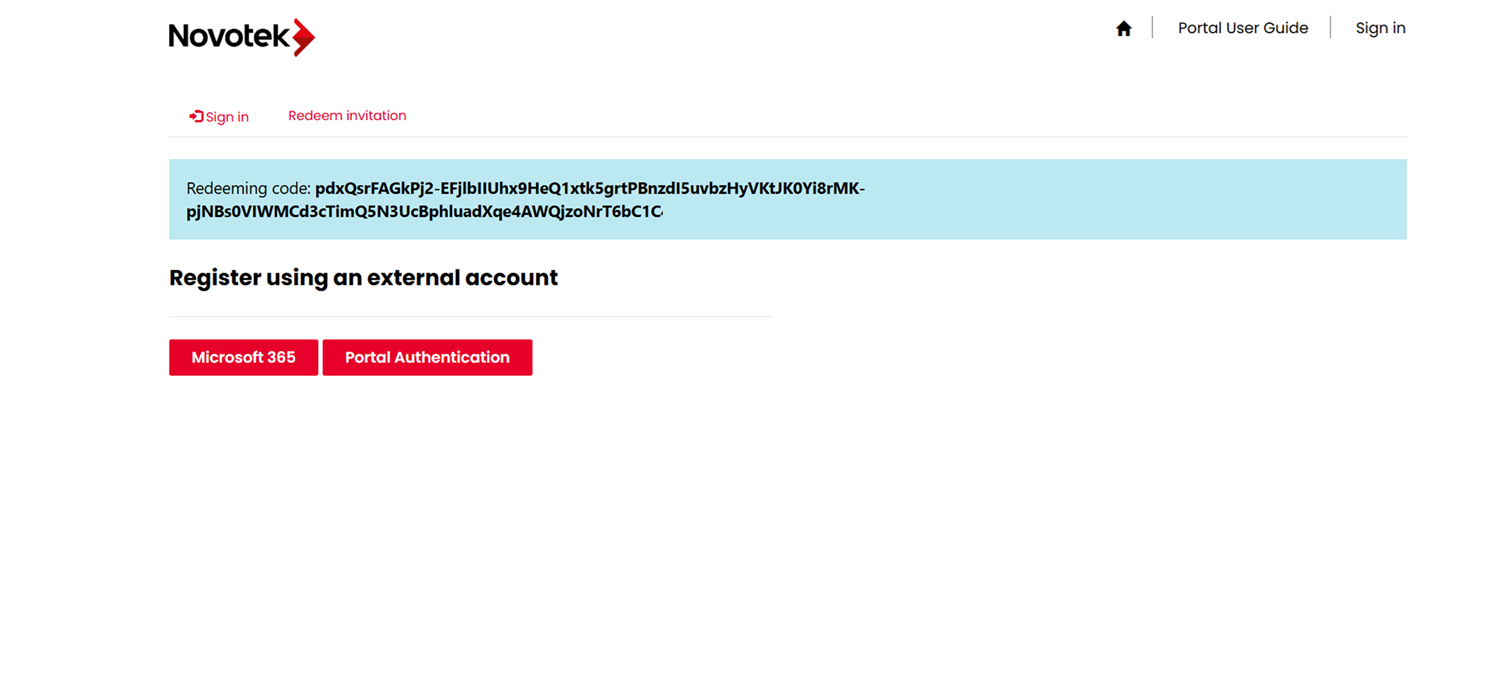
If your organisation uses Microsoft 365, you will be able to use your own Microsoft 365 tenant and credentials for authentication by selecting the “Microsoft 365” button under “Register using an external account”. Once you have logged in and granted access to Microsoft 365, you can move onto the "Registration Complete" section below.
Otherwise, select "Portal Authentication" to create a username and password as per the section below.
To create a new account, select "No account? Create one" followed by entering your email address when prompted on the "Create account page" as below.
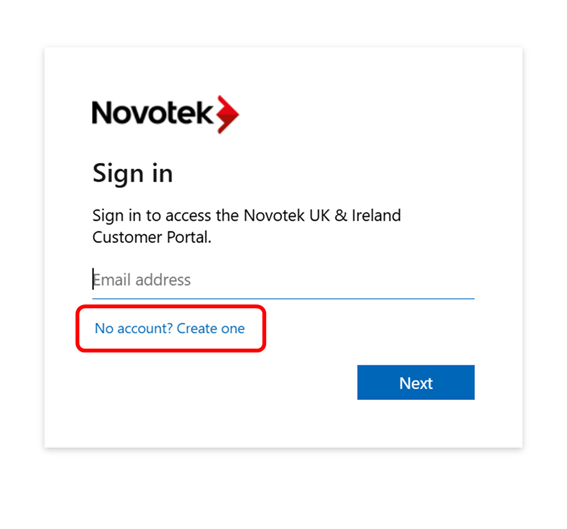
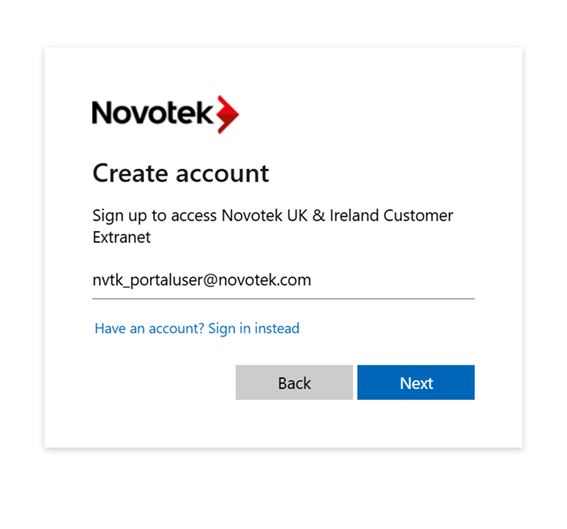
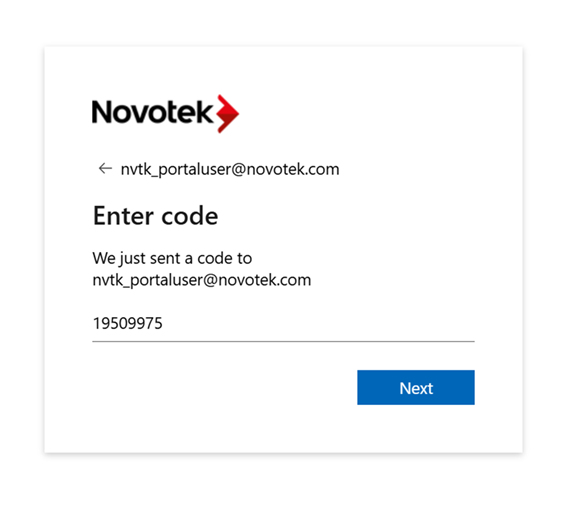
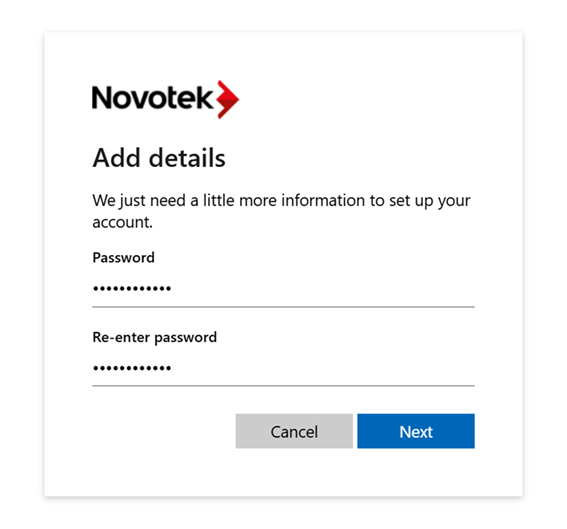
The system will send a code to this email address for you to confirm. Please enter this unique code when prompted along with a password of your choice.
Registration Complete
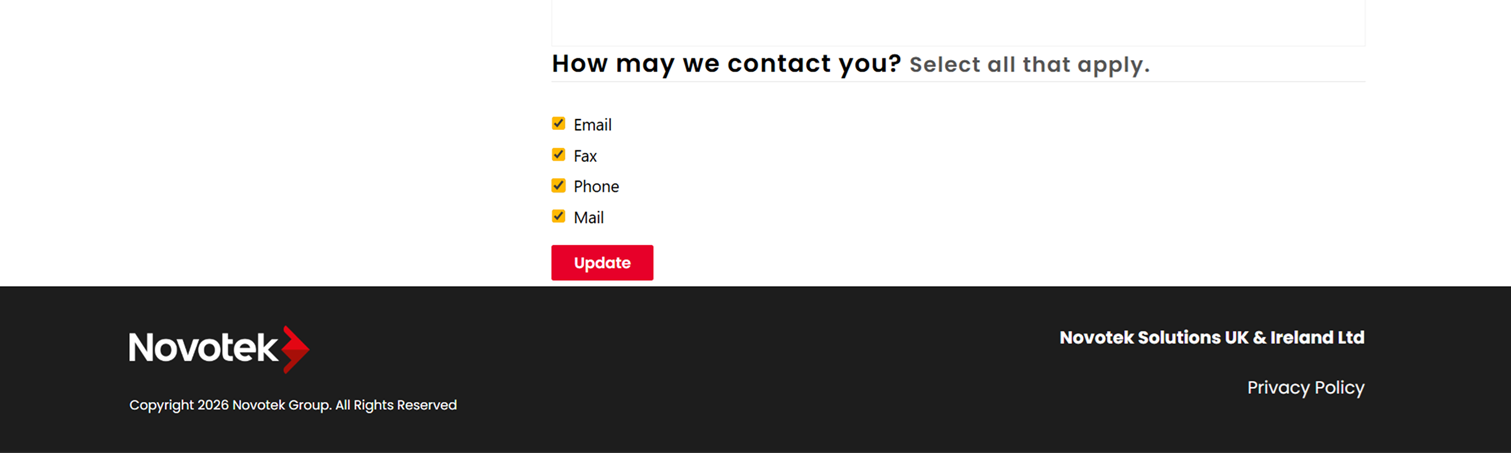
After registration, you will then be presented with your profile page, which will allow you to update your personal information. Make any changes you feel necessary, and then click on “Update” at the bottom of the page.
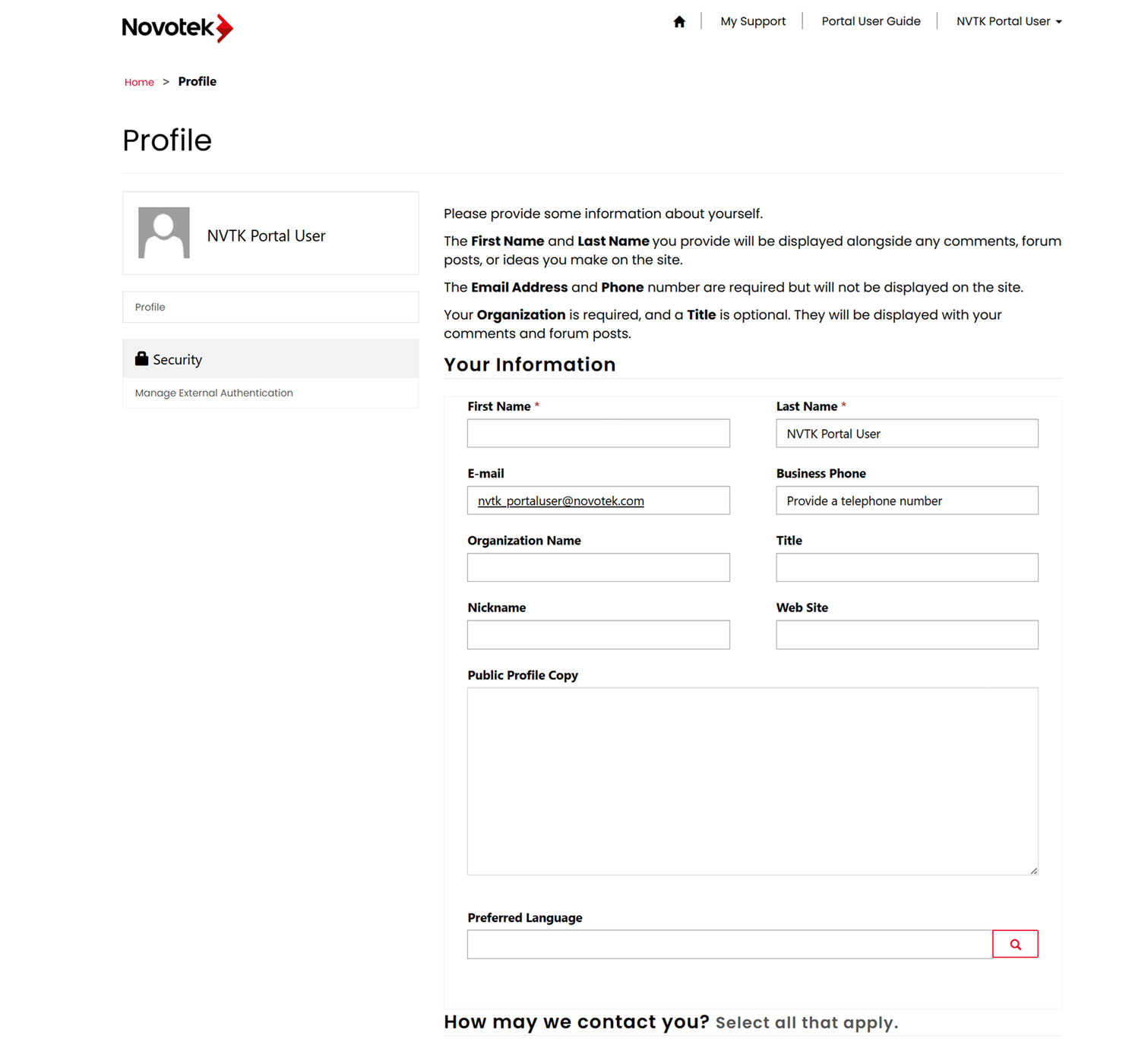
Note: In order for the Support Portal to send emails to you, you will need to leave the “Email” checkbox ticked under the “How may we contact you?” section.
Once registered you will be returned back to the Support Portal homepage where you can continue to view and raise cases accordingly.