
Customer Support
Portal
Raise a new case
Creating Cases
There are two ways to create a case within the portal. There is a “Raise a new case” button at the top of the homepage. If you navigate to the “My Support” page, you can also create a case by clicking on the “Open a New Case” button, located on the right of the page.
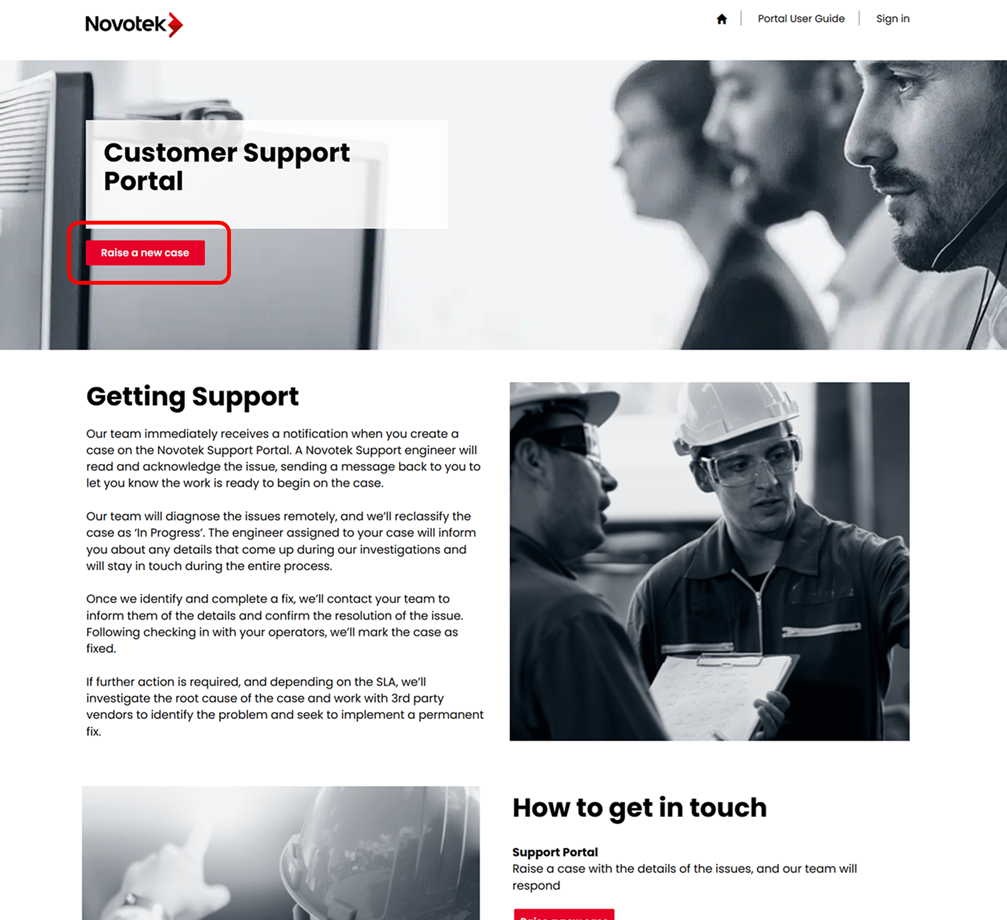
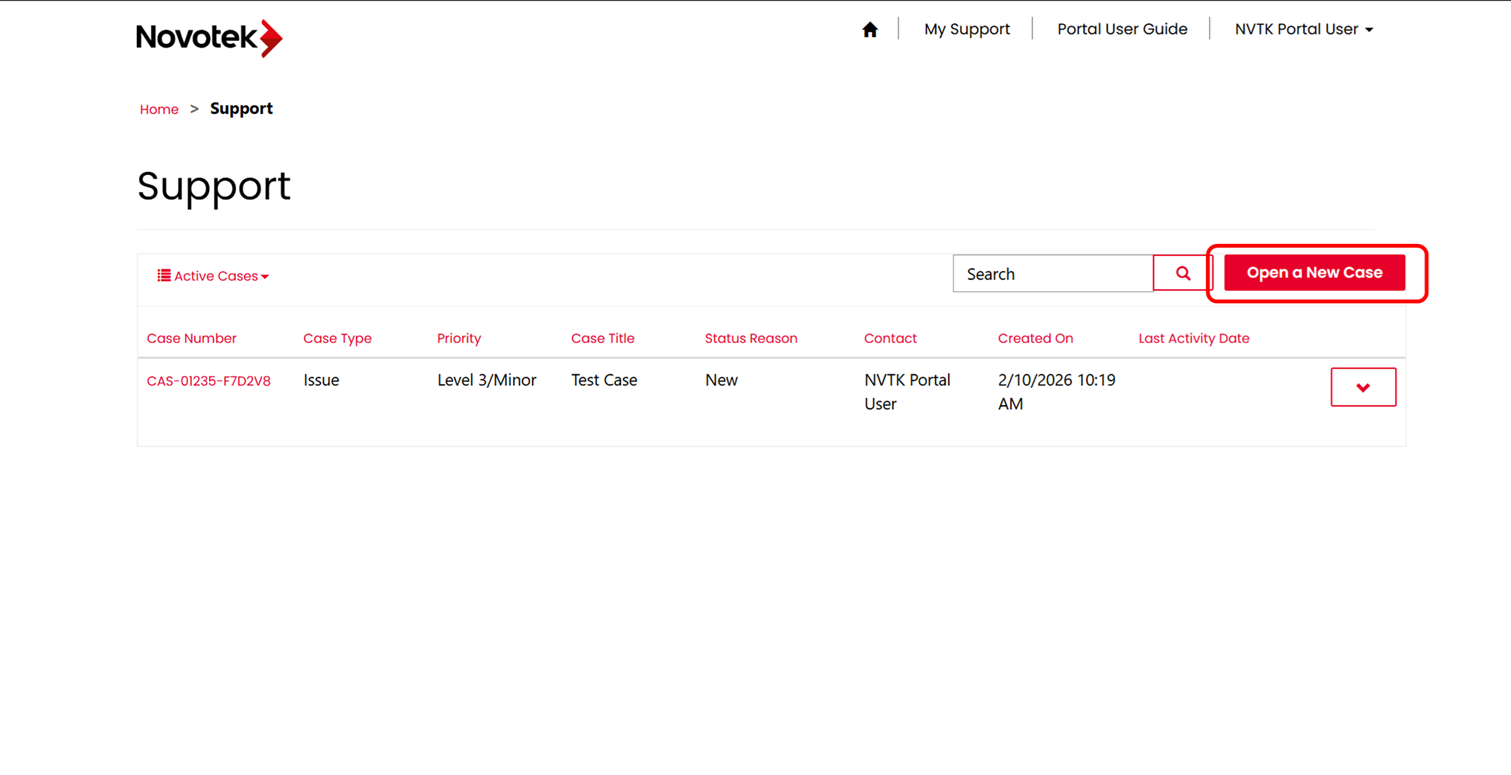
Once you have clicked on a link to raise a new case, you will be presented with the "Open a New Case" page.
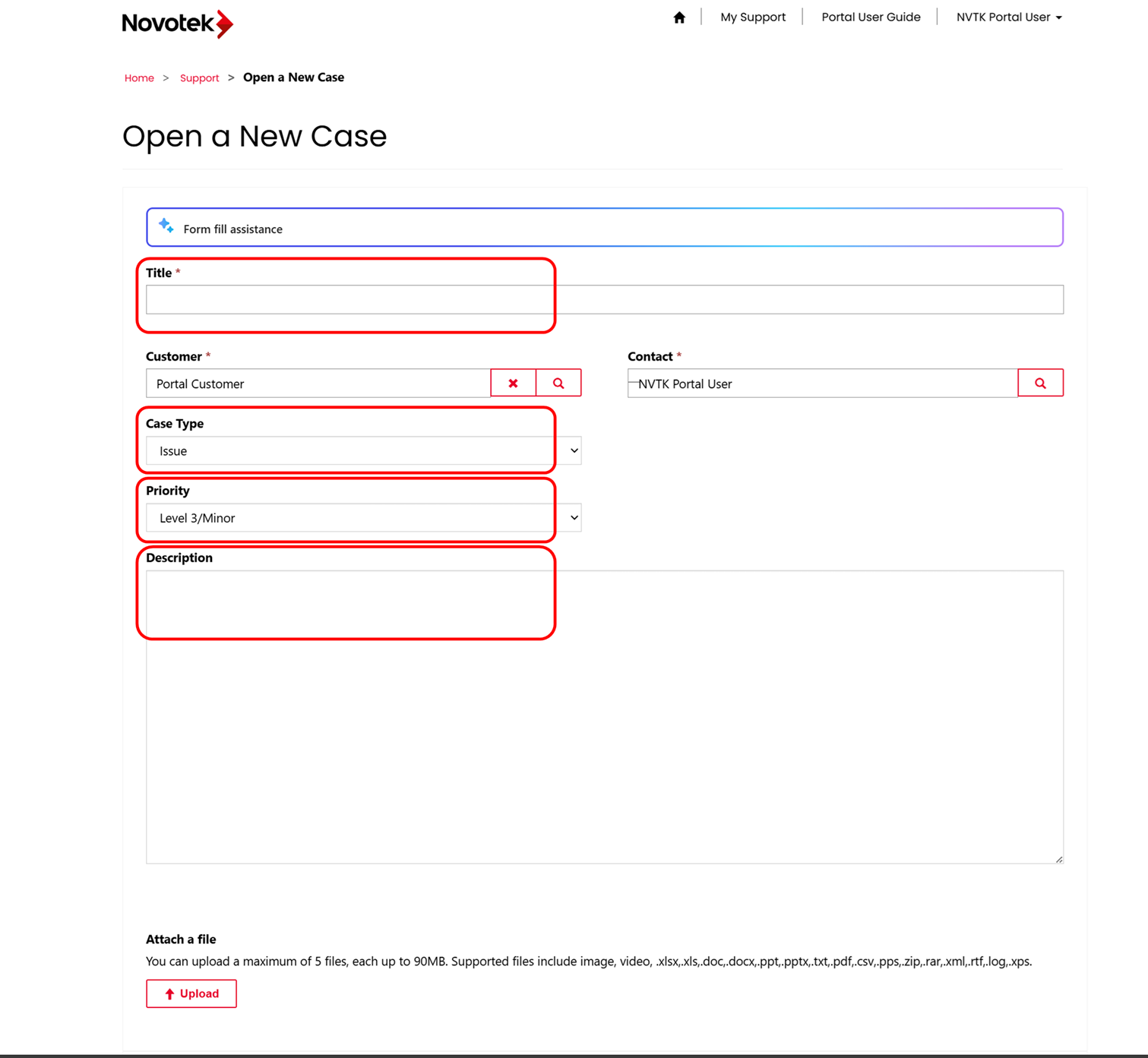
Please fill out the below fields:
Title: Give your case a descriptive title. This will make identifying the case easier in the future.
Case Type: This is a drop down field. The types available are “Issue”, “Change Request”, “Root Cause Analysis”, and “Information Request”.
Priority: This is a drop down field. Please choose a priority that matches the urgency of your issue.
Description: Please enter as much useful information as possible to help us progress the case quickly.
You can also attach files, for example any reports or screenshots, that may help with the investigation. To do this, there is an “Attach a File” section. Click on “Choose Files”, then select any files you would like to upload to the case, followed by clicking the “open” button.
Once you have completed the required fields, click on the “Submit” button at the bottom of the page.
This should return you to the “My Support” homepage, and your newly created case should appear under “Active Cases”. An email will be sent to you with an overview of the case details.